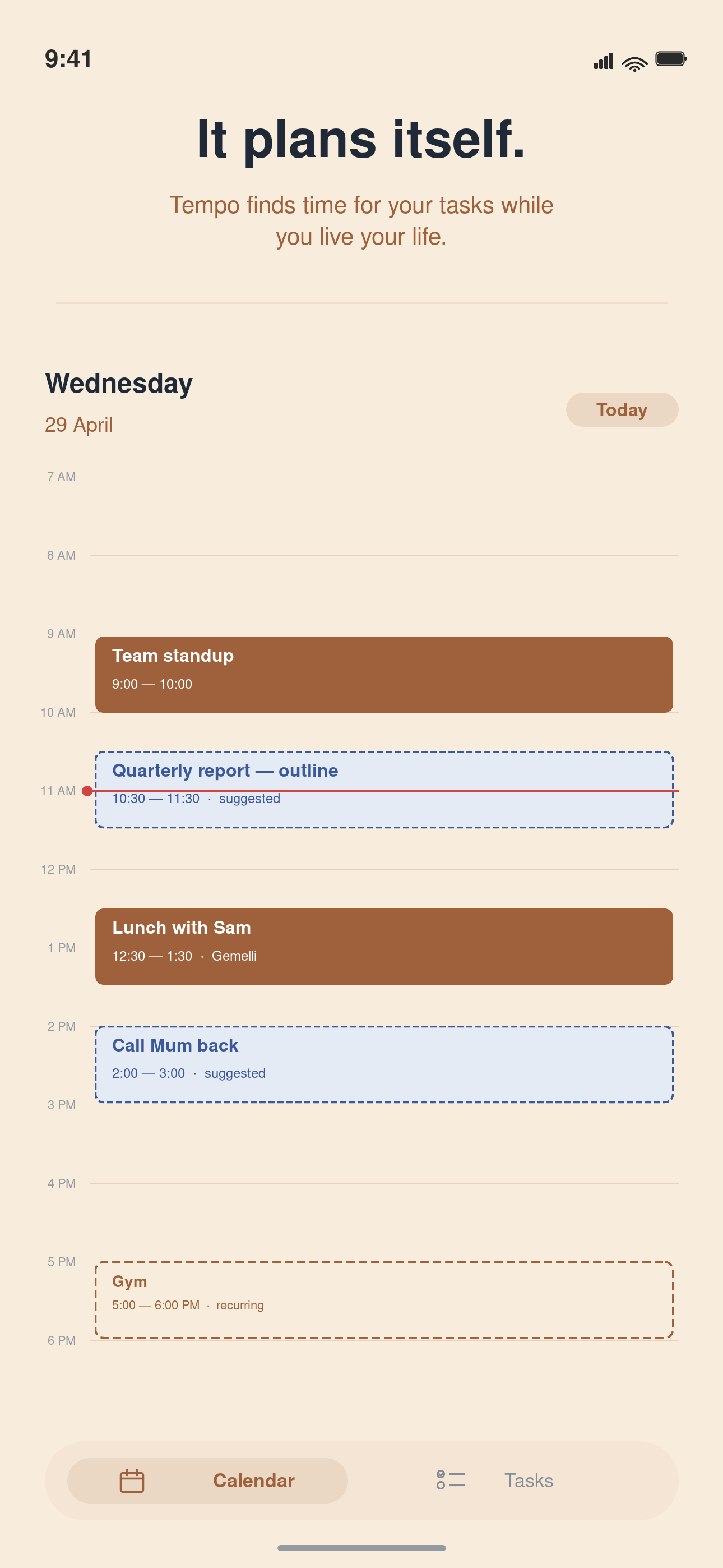
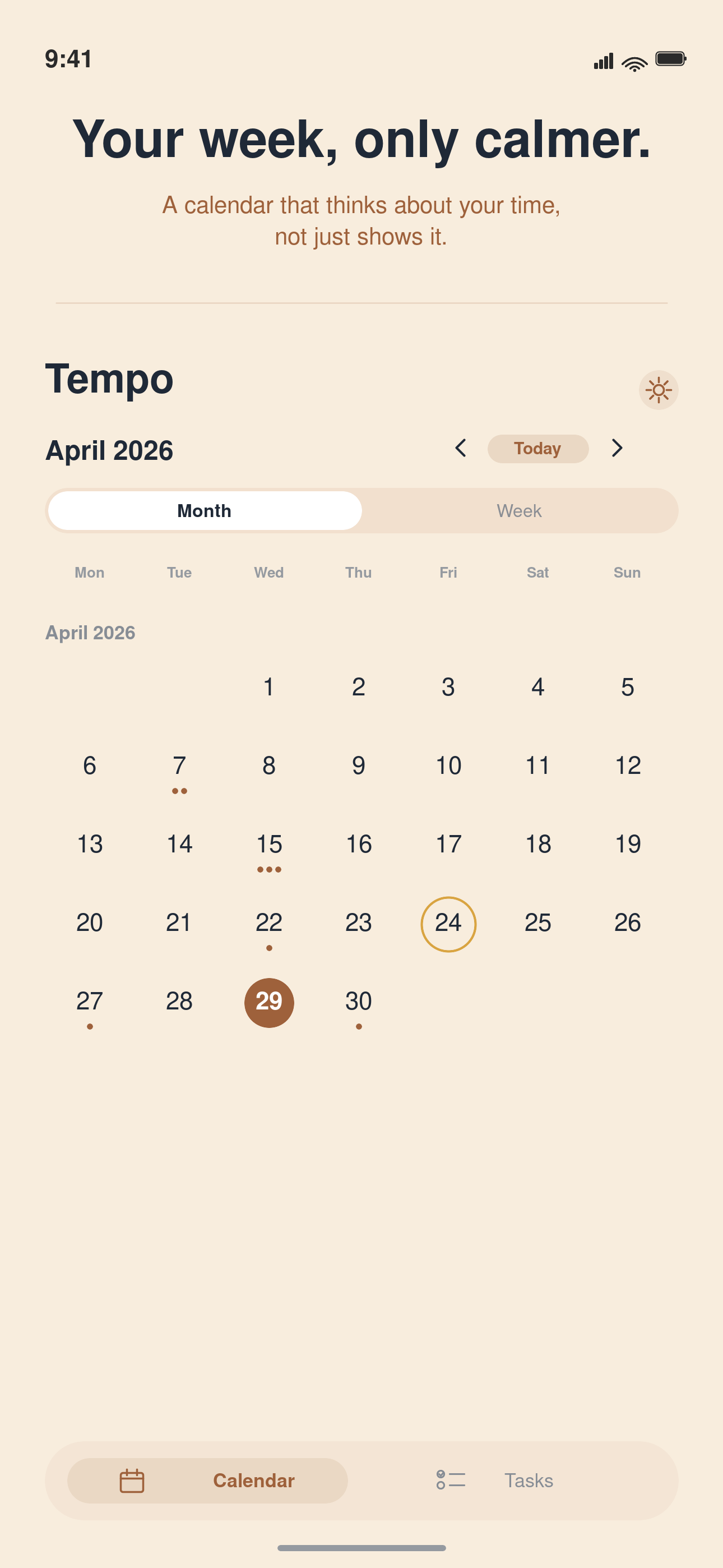
Tempo auto-schedules your tasks around your real availability. Drag to reschedule. Eight calm themes. No migration — works with the calendar you already have.
Made by an indie developer in Australia. 7-day free trial on Tempo+ at launch.
Features
Built around how your day actually moves.
Four things every calendar should have done already.
Drag to reschedule. Watch the week reflow.
Move one block and the rest of your week settles around it. Like water around a rock — not a chaos shuffle from an AI.
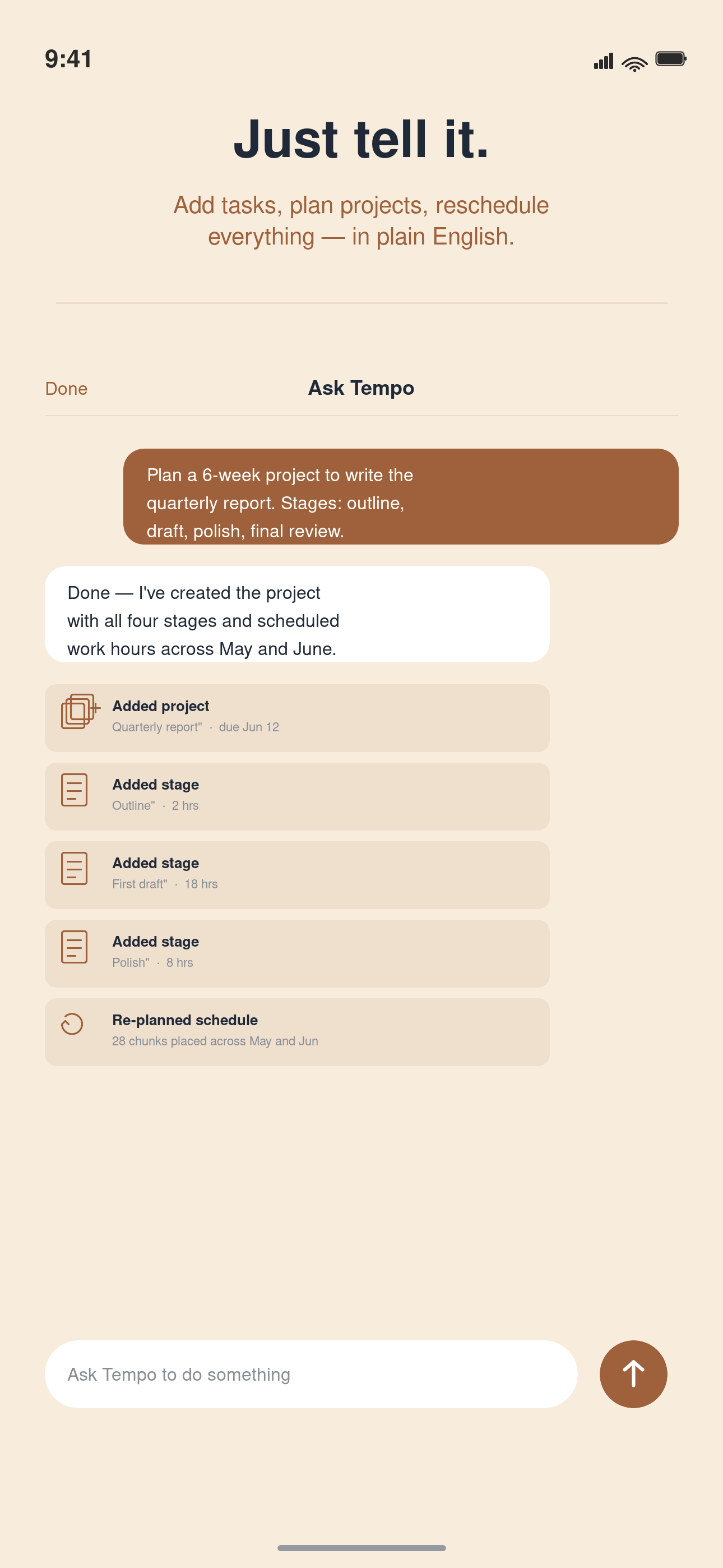
Ask Tempo. Plain English in.
"Plan my week." "Move my deep-work block to Thursday." Tempo rearranges the calendar around real availability.
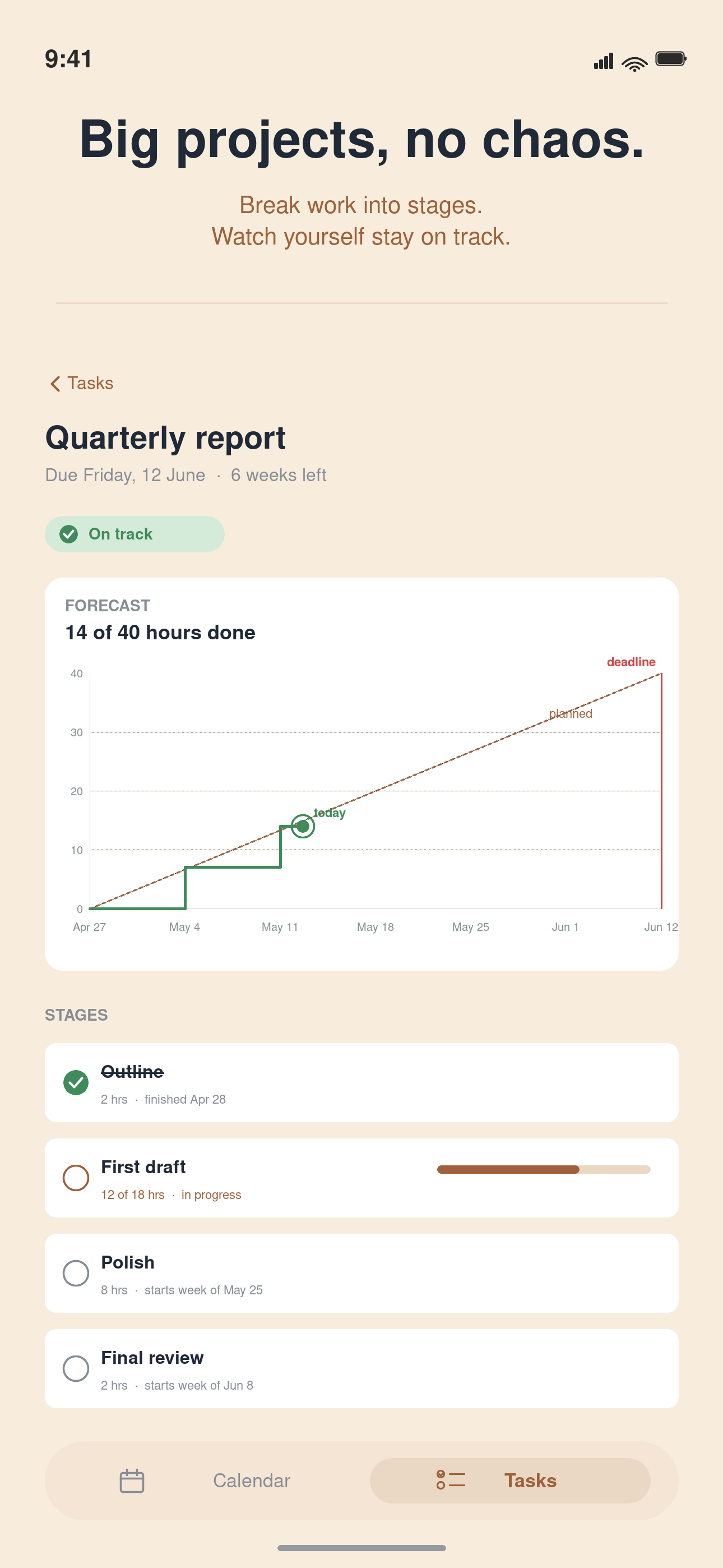
Project mode that forecasts deadlines.
Plan a multi-week project into scheduled pieces. Tempo tells you whether the plan still fits before the due date.
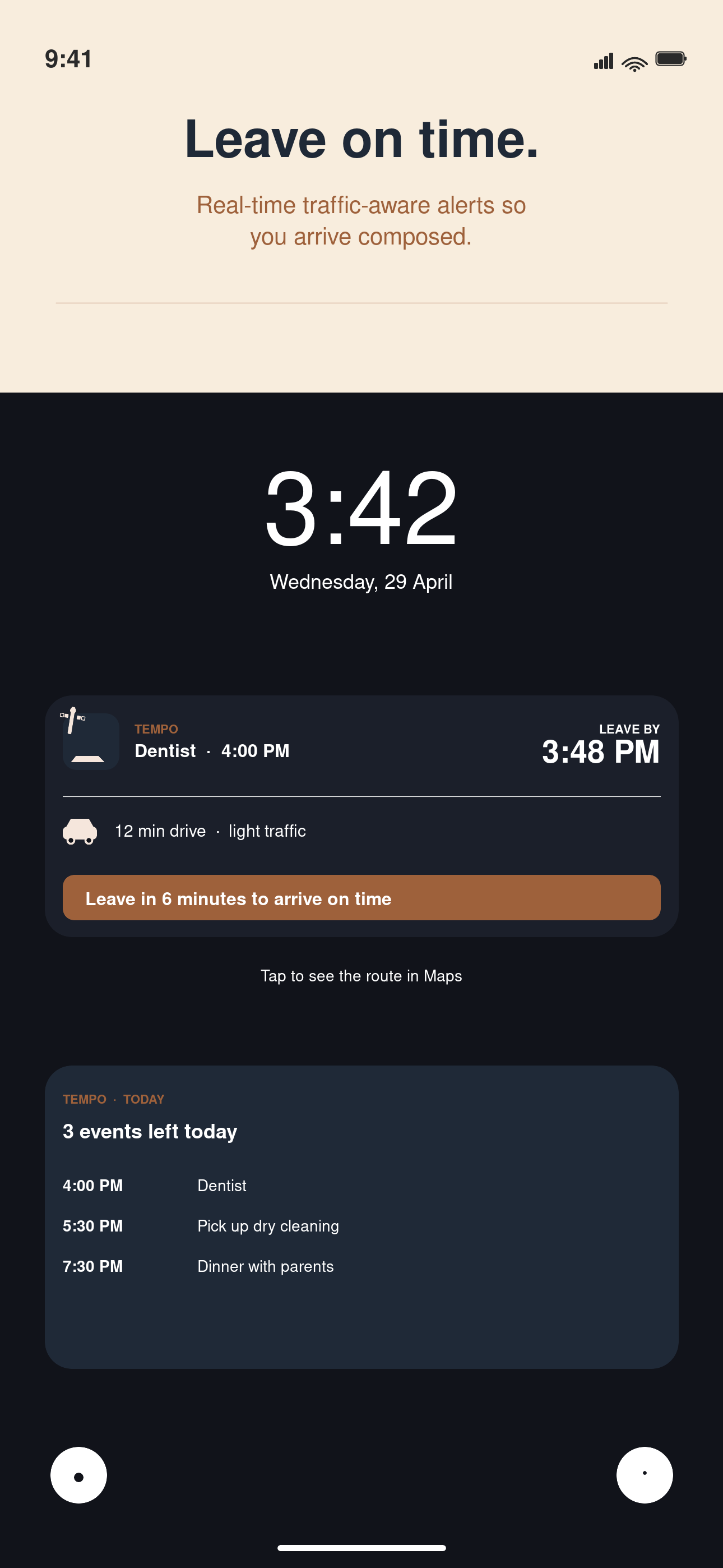
"Time to leave" on your lock screen.
A live countdown ticking on the lock screen. The moment it's time, Maps opens hands-free.
👆 Try it: drag a task to a different day
Mon
Deep Work
Tue
Wed
Team Sync
Thu
Fri
Review
Comparison
Different by design.
Built for humans, not enterprise org charts.
Feature
Tempo
Fantastical
Google Calendar
Auto-schedule tasks
✓
✗
✗
Drag to reflow week
✓
✗
✗
Project deadline forecasting
✓
✗
✗
Calm aesthetic themes
✓ (8 themes)
✓ (limited)
✗
Privacy-first AI
✓
✗
✗
Free tier with core features
✓
✗
✓
Subscription price (yearly)
$59.99 AUD
$69.99 USD
Free
Themes
Eight themes. None of them shouty.
From Sunset to Slate — pick one that matches your morning.
Default
iOS-native blue
Sunset
Soft pastel coral
Cherry Blossom
Sakura morning rose
Mocha
Warm coffeehouse caramel
Garden
Earthy sage green
Lofi
Luminous lavender study
Slate
Sleek mint accent
Indigo
Deep focused purple
What People are Saying
Built with feedback from 200+ beta testers
"Finally, a calendar that doesn't stress me out. The drag-to-reschedule is so smooth."
S
Sarah Chen
Product Designer
"The themes are gorgeous. I actually enjoy opening my calendar now."
M
Marcus Rivera
Teacher
"Ask Tempo saves me 15 minutes every Sunday. Just tell it what needs doing."
L
Lena Kowalski
Freelance Writer
200+
Beta Testers
4.8★
TestFlight Rating
100%
Privacy Focused
Pricing
Free to start. Tempo+ when you want the brain.
Fair pricing from an indie developer — no venture-backed productivity factory.
Tempo
Free · forever
Everything you'd expect from a calendar.
Month, week, day, year views
Drag to reschedule with reflow
All 8 themes
Widgets & Live Activities
Natural-language event entry
Works with iCloud, Google, Outlook
Tempo+
$9.99 AUD / month
or $59.99 / year · 7-day free trial
Auto-scheduler around real availability
Procrastination calculator
Project mode + deadline forecast
Ask Tempo AI (plain-English commands)
Cancel any time — the free app still works
Privacy
Calm productivity. No surveillance.
No analytics SDK
No third-party tracking. No ads. No selling data.
Stays on your device
Calendar data lives on your iPhone and your own iCloud — not on a Tempo server.
AI without the log
Ask Tempo runs through a proxy that doesn't log prompts or train on them.
FAQ
Questions? We've got answers.
Yes. Tempo reads and writes to your existing iCloud, Google, or Outlook calendar. No migration needed — all your events stay exactly where they are.
No. Tempo works on top of your existing calendar provider. Your events live in iCloud, Google, or Outlook — Tempo just gives you a better way to see and manage them.
Absolutely. Cancel through the App Store anytime. When you cancel, the free version of Tempo keeps working — you'll still have your calendar, themes, and drag-to-reschedule. You just lose the AI features like auto-scheduling and project mode.
Yes. Your calendar data stays on your iPhone and your own iCloud/Google/Outlook account. Tempo doesn't send it to our servers. The Ask Tempo AI feature uses a privacy-focused proxy that doesn't log or train on your prompts.
Tempo (free) gives you the full calendar with all 8 themes, drag-to-reschedule, widgets, and natural-language entry. Tempo+ adds the AI brain: auto-scheduling tasks around your availability, project deadline forecasting, and the Ask Tempo conversational planner.
Tempo launches on the App Store on June 30, 2026. Everyone gets a 7-day free trial of Tempo+ at launch.
Not at launch. Tempo is iOS-only for now. If there's enough interest, we'll consider Android after the iOS version is stable.
Tempo is built by an indie developer in Australia. No VC funding, no data-harvesting business model — just a calendar app that respects your time and privacy.